Configuring Exceptions in General Bitrix24 Integration Scenario
If you have configured a single integration scenario with Bitrix24 for all numbers, and incoming calls to departments create leads, deals, contacts and tasks, you can set up exceptions to the general scenario for departments that do not use the CRM. For example, you can configure it so that when a call comes to the accounting department’s internal number, no new entities are created in the CRM. To do this, follow the steps below.
To open the exception settings for incoming calls, toggle the switch in the corresponding row of the For all scenarios section.
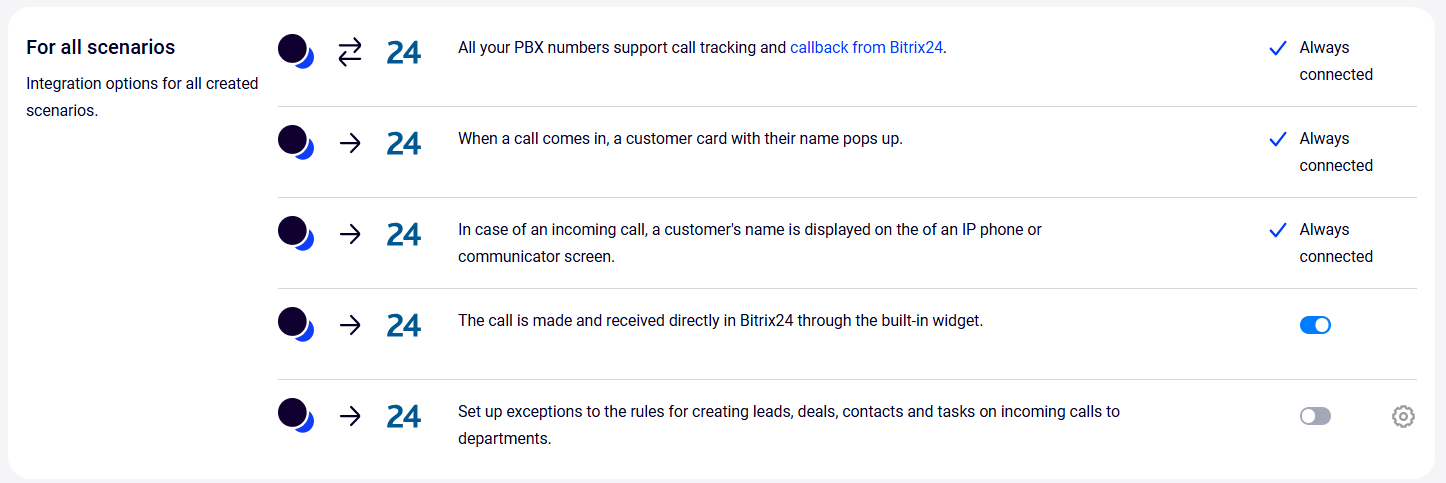
A window will open where you can set up exceptions to the integration scenarios on incoming calls to departments.
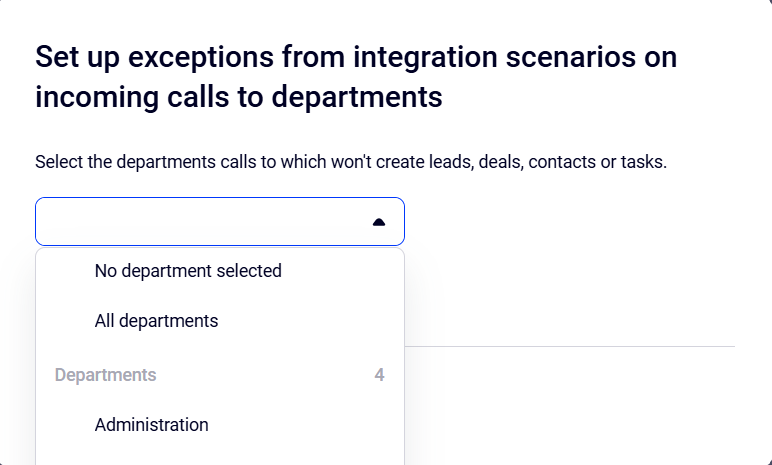
1. In the dropdown list, select the department for which you want to configure an exception.
2. To add another department, click the Add department button and select the appropriate option in the dropdown list. To remove a department from the settings, click the trash can icon on the right.
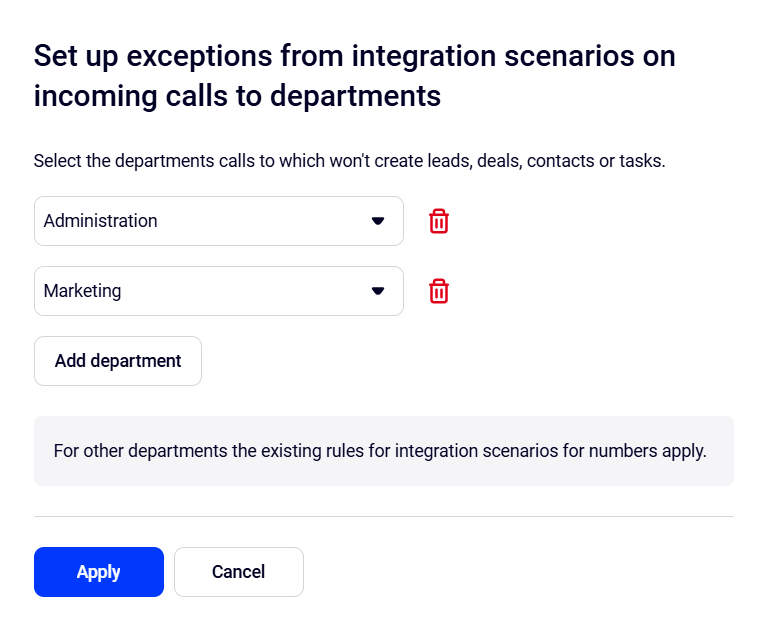
3. Click Apply.
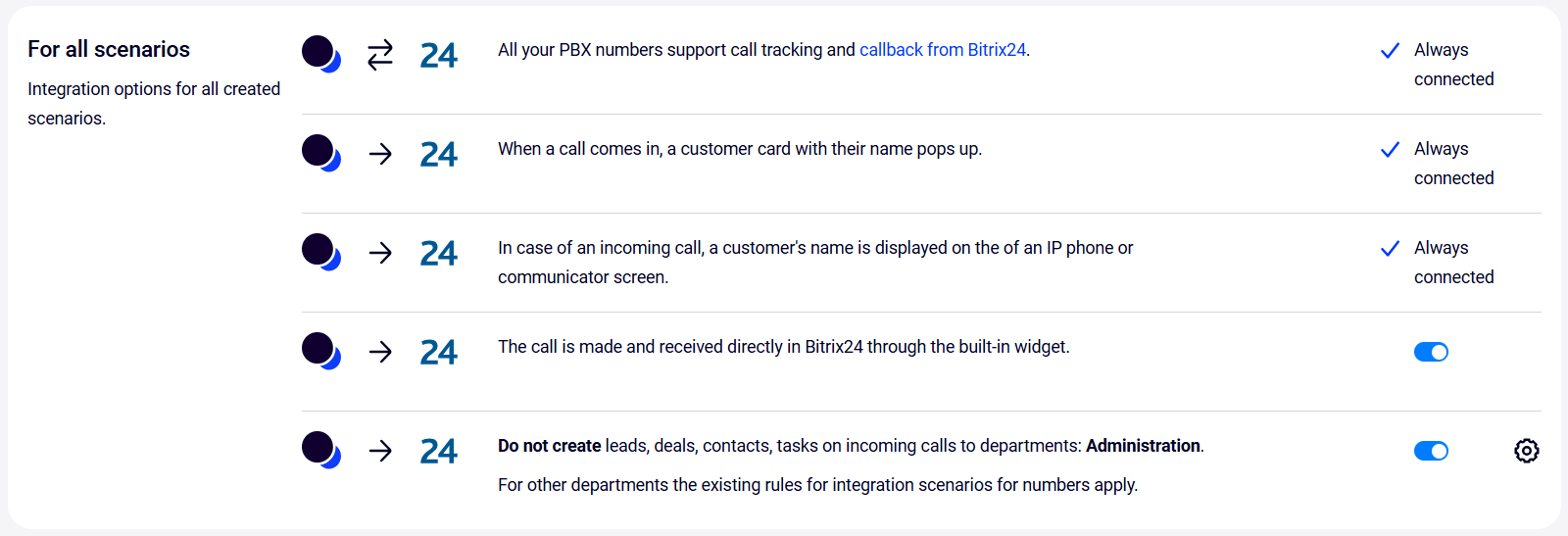
Once the settings are applied, general information about the exceptions will appear in the corresponding row. The switch will be toggled to the right. You can update the exception settings at any time by clicking the gear icon in the same row.
Click the Save button at the bottom of the page.