Bitrix24 Callback Button
The Callback Button widget enables you to receive calls to your Cloud PBX numbers from customers who submit a request on your website. To use your Cloud PBX numbers in the Bitrix24 callback widget, enable the integration with this service.
In Bitrix24, go to CRM – Sales – Sales channels – CRM Forms.
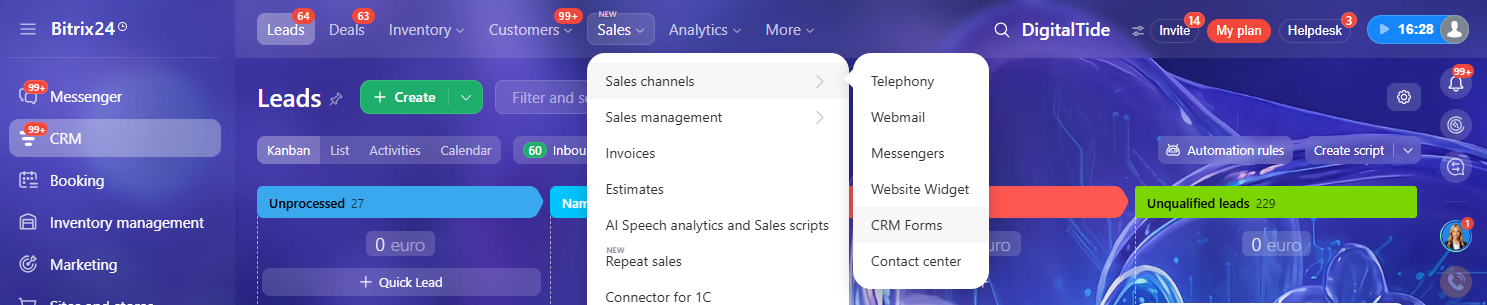
Click Add to the left of the search bar.

By default, the Contact information CRM form will open. Click the Callback tab.
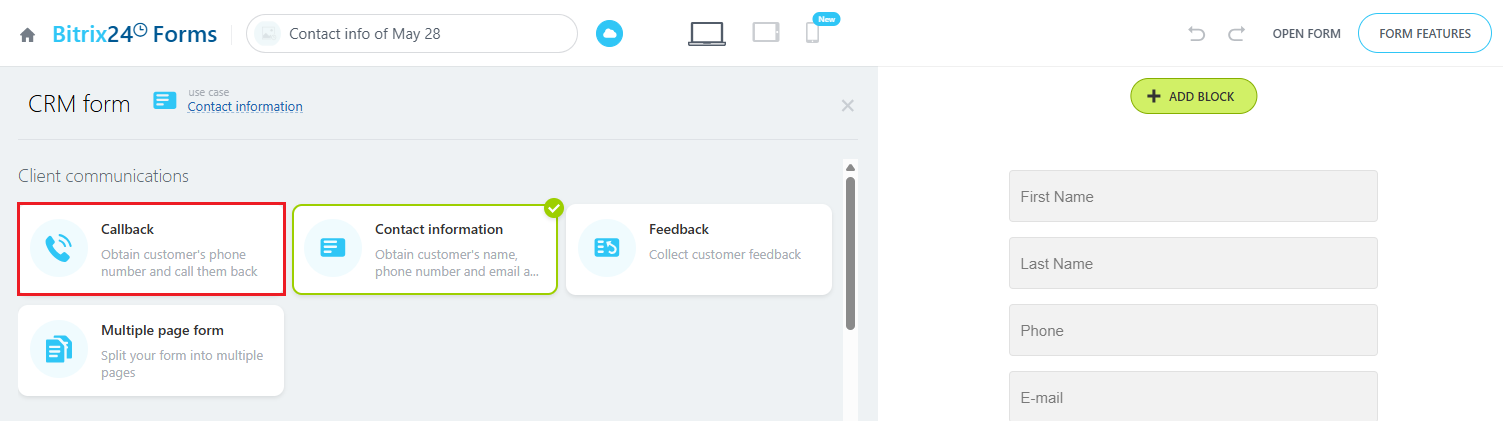
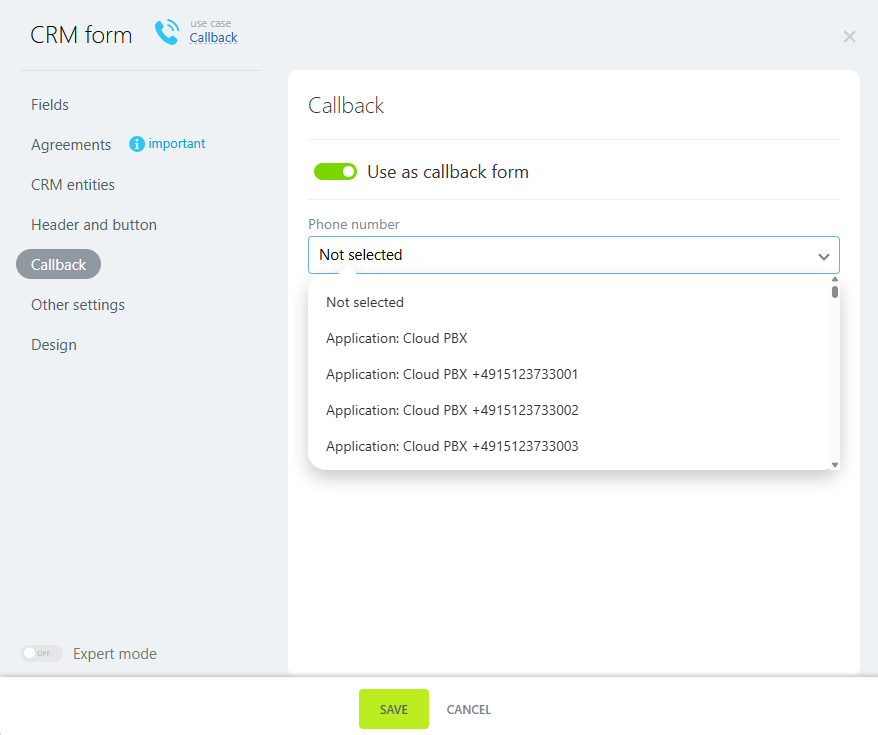
In the widget editing window, the Callback section opens by default. In this section, select Use as callback form. From the dropdown list, choose the number to call the customer back.
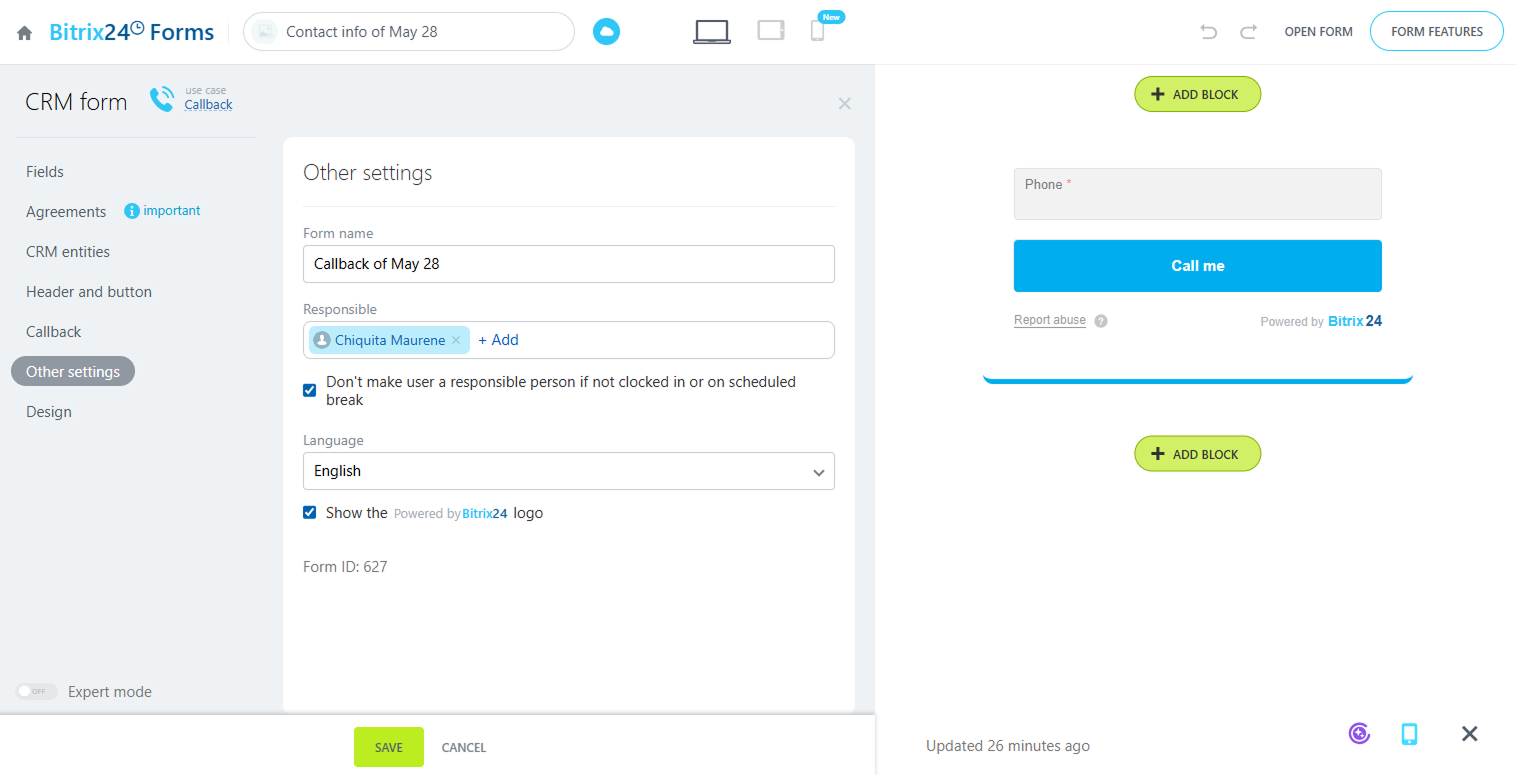
Go to the Other Settings section. Select the responsible manager who will receive calls from CRM when customers submit this form.
To avoid assigning a manager who is off-hours or on a break, check the box under the Responsible field.
In this window, you can also change the form name and the default language if needed.
Click Save.
Don’t forget to click Save in the main callback settings window.
To return to the full list of CRM forms, click the Bitrix24.Forms logo in the upper-left corner. The form you just created will appear in the top row of the table.
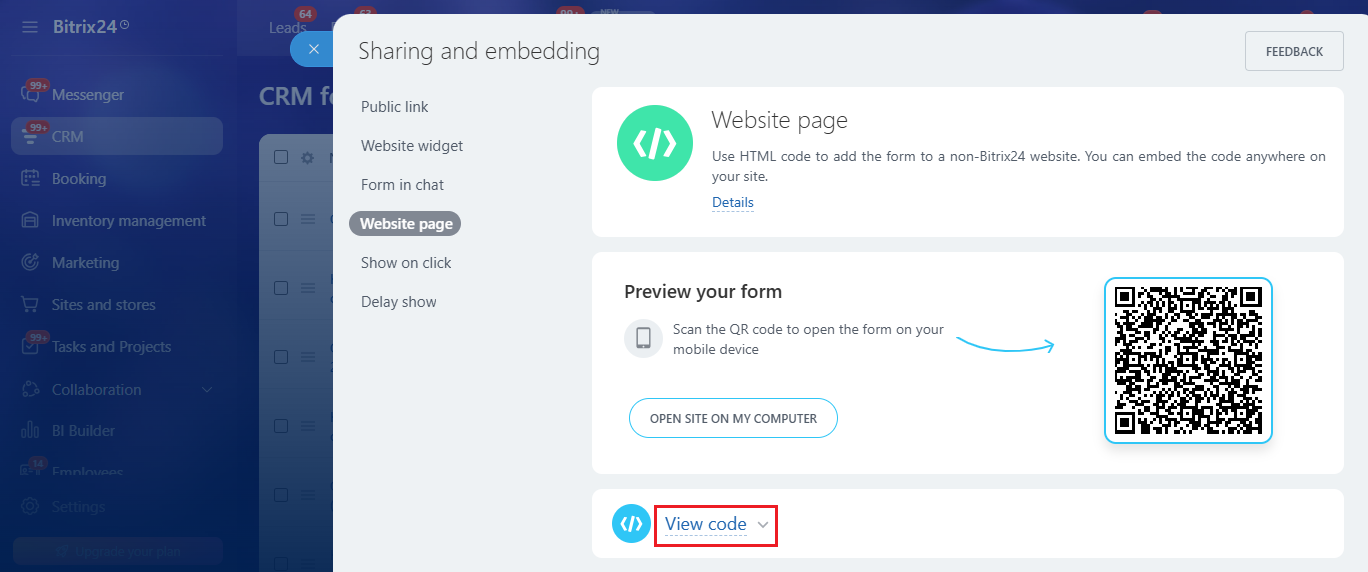
To add the form to a website that was not created in Bitrix24, click Get link or code button.

In the window that opens, click View code.
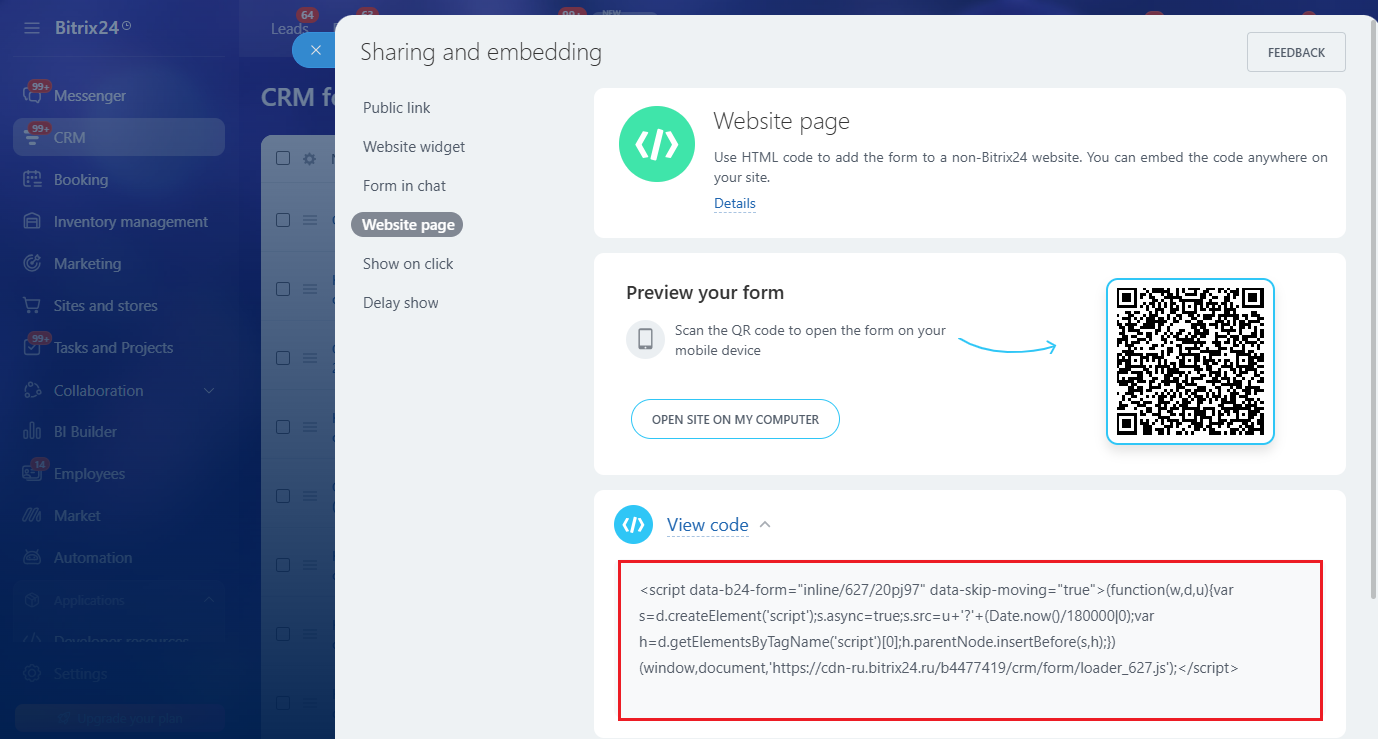
Copy the code and embed it anywhere on your website.
When a customer requests a callback, the responsible manager assigned in Bitrix24 receives a call from CRM. Once they answer, Cloud PBX calls the customer who requested the callback. The customer sees an incoming call from the number selected in the widget settings.
All calls requested through the website widget are marked with a special icon in Cloud PBX call history so you can track their data separately.
Please note
Lead, deal, and contact creation settings in the widget override the settings configured in your Cloud PBX integration with Bitrix24.If you add or remove Cloud PBX numbers, return to the integration settings in Cloud PBX and refresh the list of available numbers.