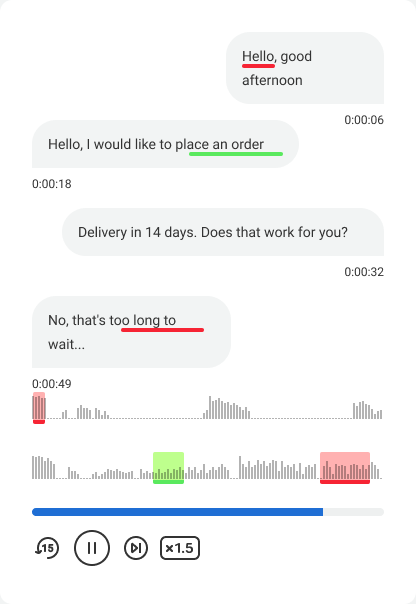
Speech Analytics
Every phone call with a customer contains valuable data for a business owner: how managers communicate, which sales succeed, and which opportunities are missed. But how do you get these insights if you do not have time to listen to every call recording? It is simple: enable Speech Analytics. The service will find and highlight calls that need your attention.
Speech Analytics in Cloud PBX transcribes conversations and checks them against your dictionaries. AI finds what you may miss during spot checks: growth areas and hidden risks. In this article, we explain how Speech Analytics helps your business.
How Does the Service Work?
- It analyzes conversations as soon as it is enabled. With preset dictionaries, the service starts looking for sales indicators in new conversations: whether employees follow the script, how often they mention promotions and additional services, as well as poor service indicators: customer complaints, filler words, slang, and rudeness.
- It adapts flexibly to your company's needs. You can edit words and phrases or add new indicators to the service at any time.
- It provides clear reporting. Analysis results are available everywhere you need them: in History, Statistics, or in your CRM. This helps you quickly track changes in key metrics and compare periods.
Let's take a closer look at Speech Analytics in Call History and Statistics.
Speech Analytics in History
1. Listen to Calls With Sales and Poor Service Indicators
To make it easier to work with data, the service uses color labels on calls that contain indicators from the configured list. Sales indicators are marked in green, and poor service indicators are marked in red.
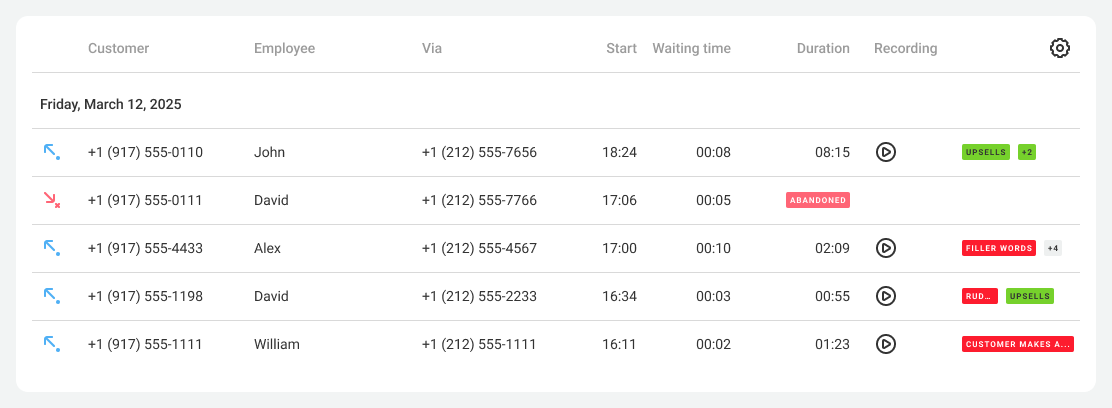
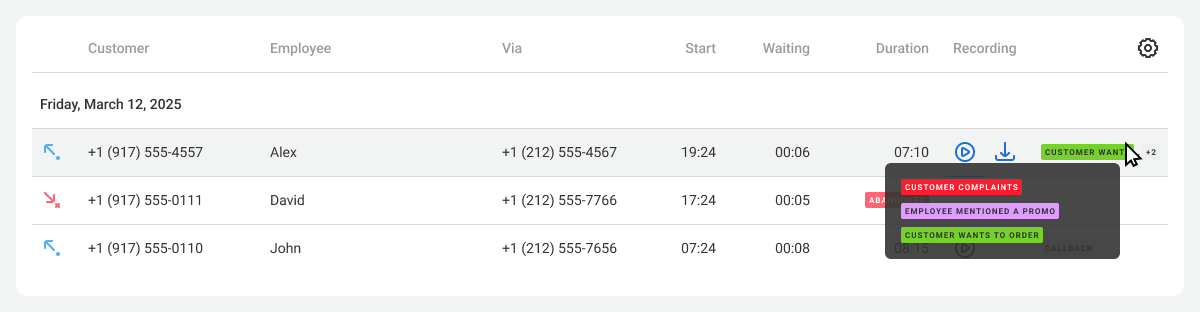
If several labels are found in a single conversation, they are displayed as a number, for example, +2, +4, and so on. Hover over the number to see the details.
2. Jump to Key Moments in a Conversation
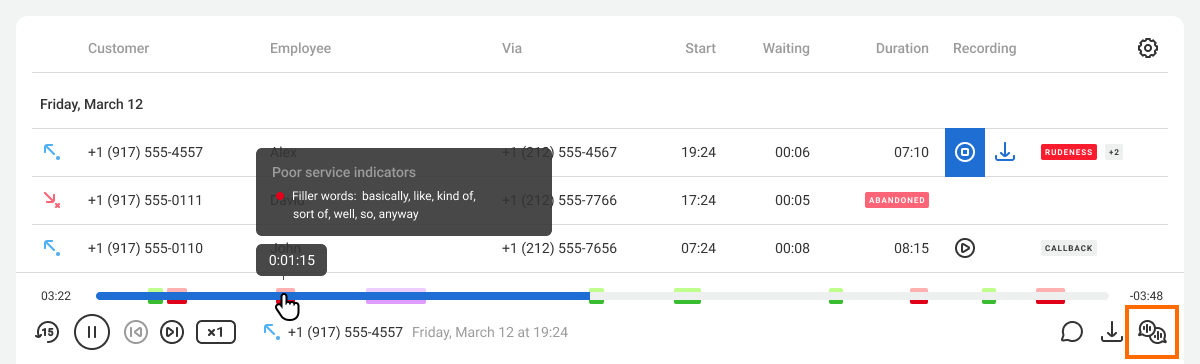
When you listen to a call, color labels show the exact place in the conversation where an indicator was found. You do not need to listen to the whole call: switch between key moments instead.
3. Read Conversation Transcripts
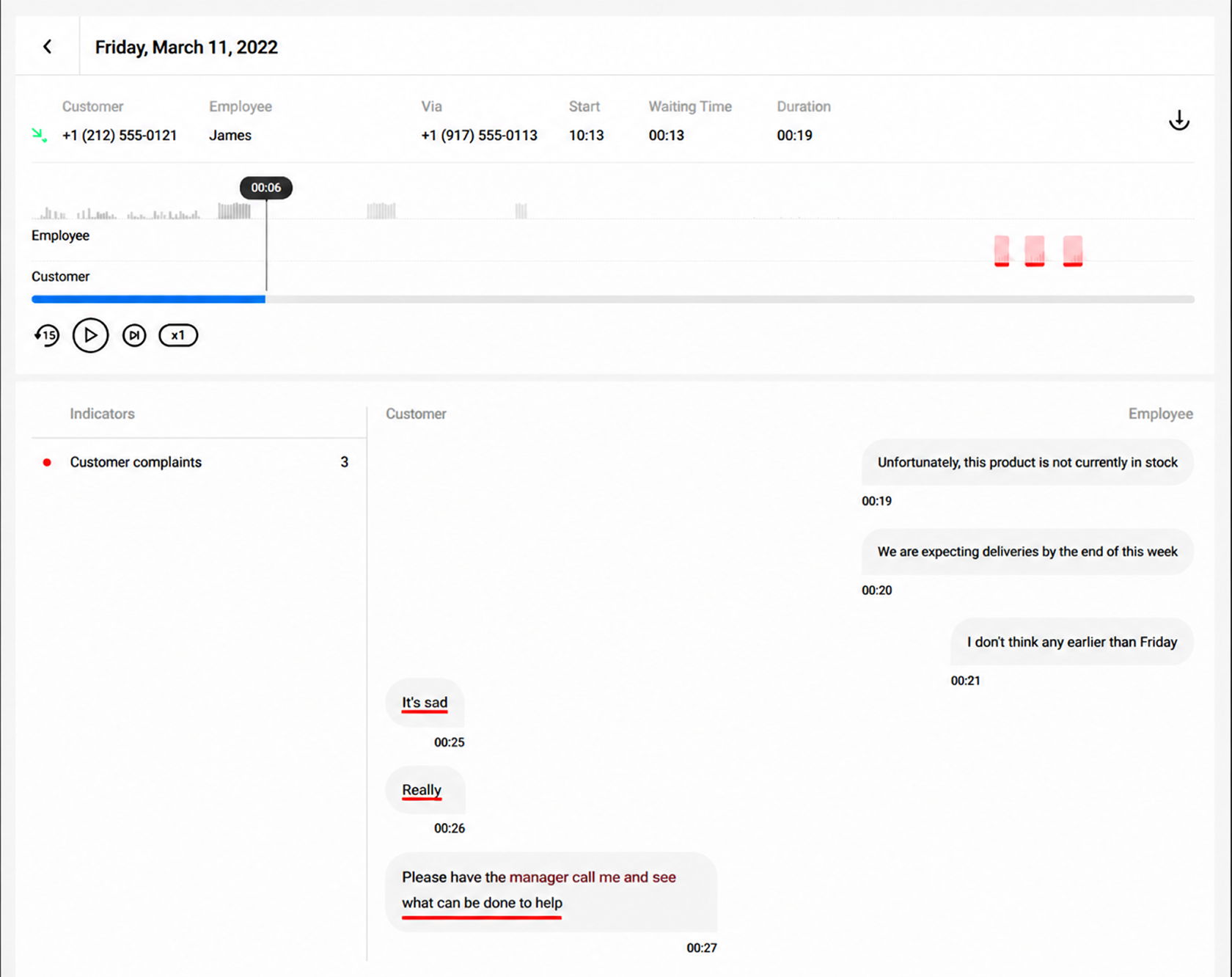
Do you want to read a conversation instead of listening to the recording? Click the icon in the lower-right corner of the recording track in the player, and the system will show a text version of the dialogue.
The window that opens has two main sections:
- On the left, there is a list of all indicators. Click any item to jump directly to that fragment in the audio recording.
- On the right, there is the full text of the dialogue. For convenience, customer and manager lines are visually separated, as in messengers.
Please note
You do not have to analyze every call. Enable the service only for the numbers you need, or set a limit for indicator recognition. This will reduce costs without compromising efficiency. Learn more in the quide.Speech Analytics Reports
1. Analyze Ready-Made Results
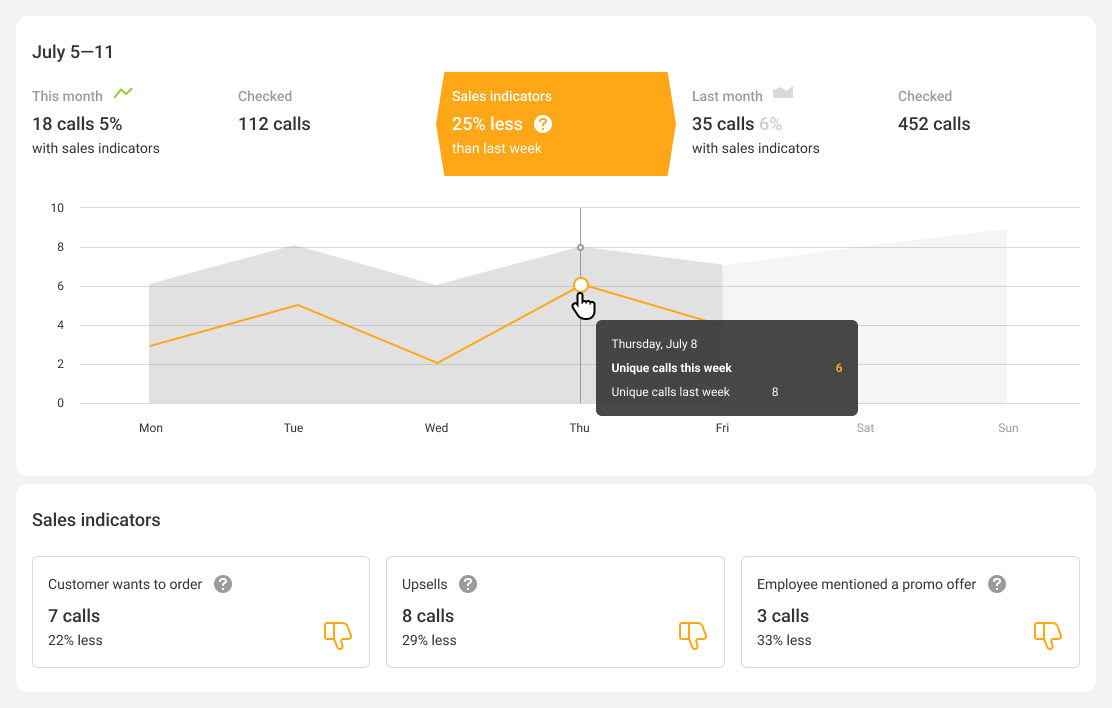
Speech Analytics not only collects numbers: it analyzes them for you. Reports clearly show whether sales are growing and customer service is improving compared with the previous month or quarter.
2. Track Employee Ratings
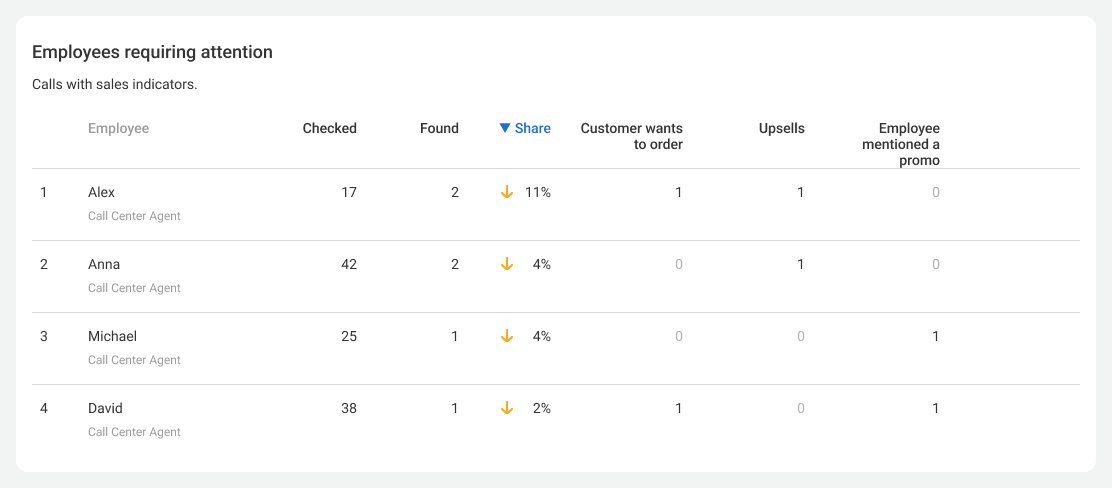
The system automatically ranks managers by the quantity of detected indicators. You can immediately see who is doing well and who needs help.
Speech Analytics for Cloud PBX and CRM
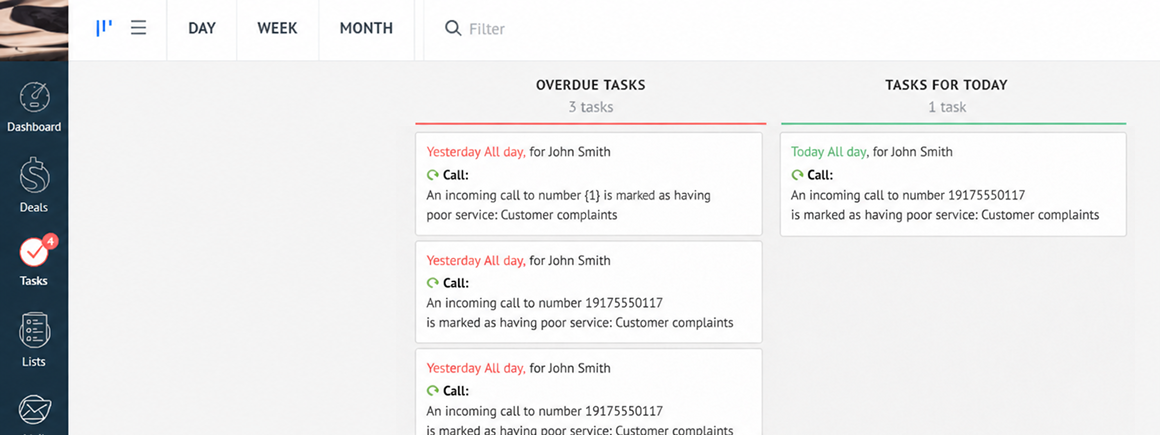
When you connect Speech Analytics to CRM, you get a powerful data synchronization tool. Here is how it works:
- In CRM: the system creates a task for the manager if it detects a complaint.
- In Cloud PBX: tags show which promotions managers offered by phone and which conversations led to a purchase.
Speech Analytics is your assistant. It filters out typical conversations and leaves only what matters most. You spend less time monitoring and get more results for growth.
More details on how this works with popular CRM integrations: